
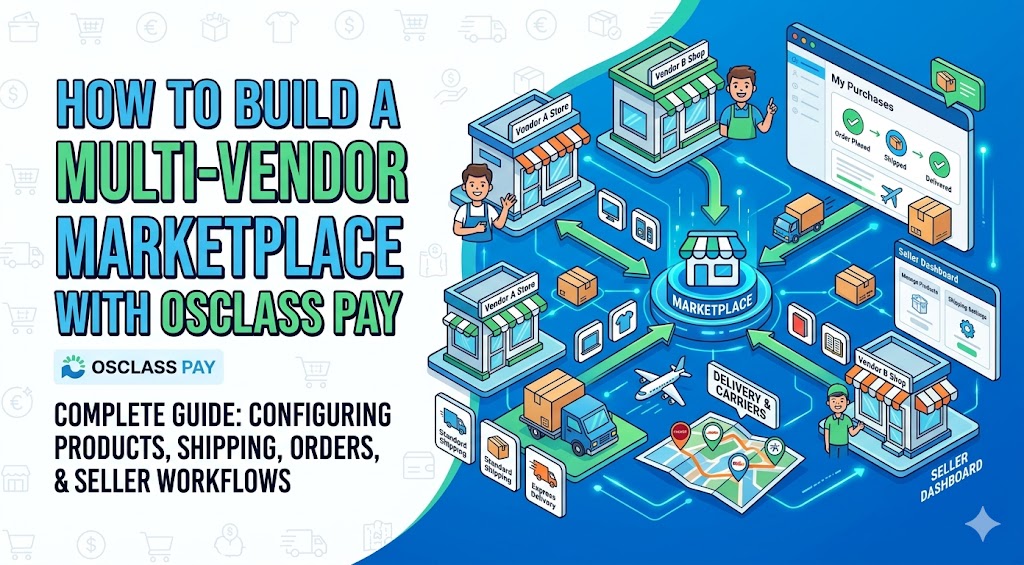
How to configure products, shipping, orders, and seller workflows to run a multi-vendor marketplace on Osclass. Seller storefronts pair well with the Business Profile Plugin.
Latest update of plugin brings major enhancements in eCommerce section of Oclass Pay Plugin that helps you to easily turn your classifieds into multi-vendor marketplace.
Brand new feature in plugin are shippings (carriers) or we can simply call it delivery options for tangible products.
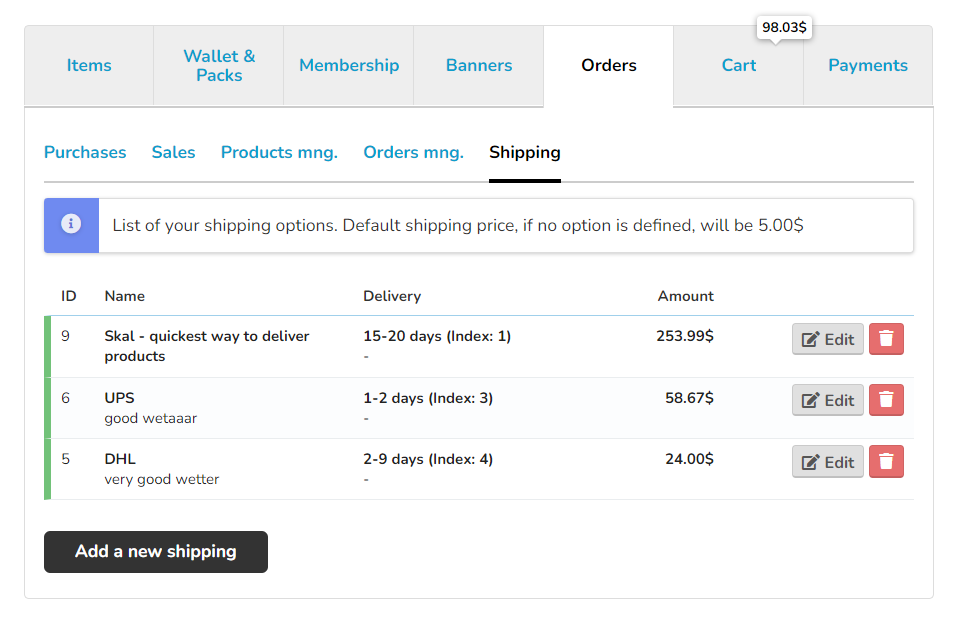 Osclass Pay screenshot" width="640" height="418" />
Seller can define one or more shippings - delivery options for their orders. Actually there is no limit how many delivery options can be created. Shipping has multiple fields that can be defined like name, delivery (how many days it should take to receive product by customer), description, amount - price for shipping, but can also deactivate shipping for some time or restrict shipping for particular countries only.

Seller can set each listing as:
Besides product type, seller can define also available quantities (if applicable and enabled by admin) and if product is available for sale or not.

If tangible product is added to cart, shipping fee is automatically added into cart. If seller did not defined any shipping options (carriers) or no shipping match to customer (country restriction), default shipping option defined by admin is added into cart.
If seller has more than 1 available shipping option, by default one with lowest speed index (1 - fastest, 10 slowest) is added to cart by default. Customer can change shipping option directly in cart.
In case there are tangible products from multiple sellers, shipping option for each seller is added into cart.
If there are more than 1 tangible products added into cart from same seller, shipping option for this seller is counted only once
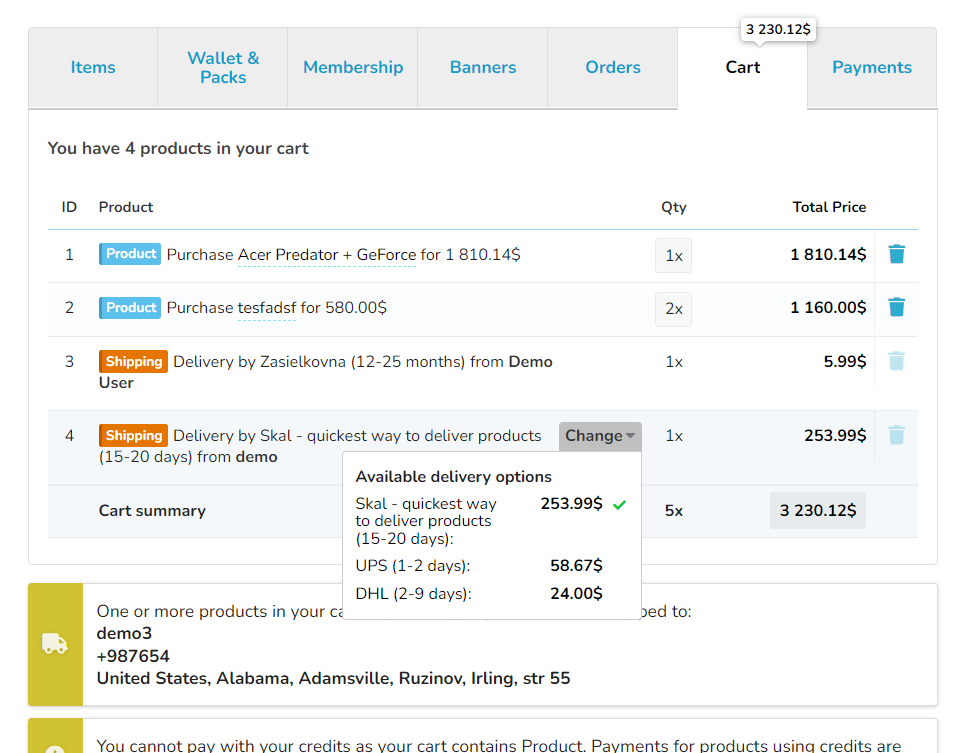
If only intangible items are added from particular seller, shipping from this seller is not applied.
There is also restriction for customer - if there is tangible product in cart, before customer can checkout and complete order, it is required to setup address and at least 1 phone number in customer's profile, so seller is able to ship and deliver ordered tangible products to customer. If there are only intangible products in cart, there is no such requirement.

Customer can easily see status of its orders, content of order, price for each product as well as shipping options selected.
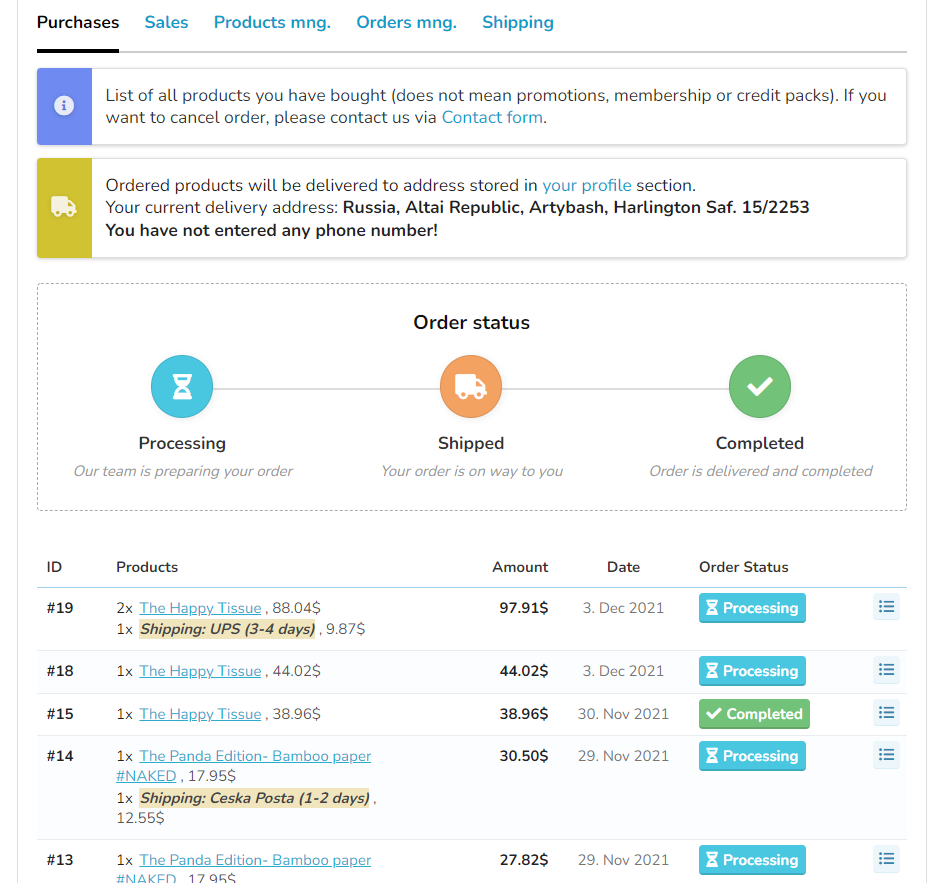
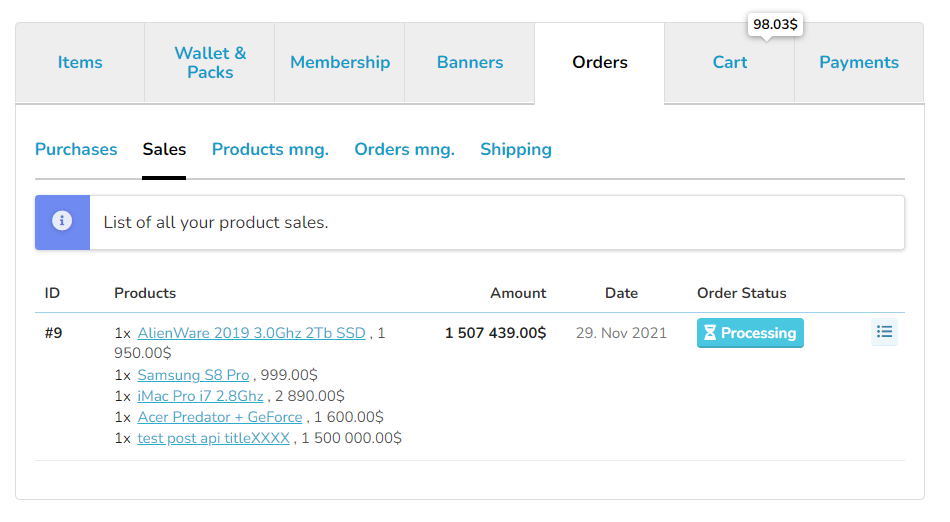
Sellers has easy and convenient way to quickly review their sales and status & content of their orders in this section.
Sellers can easily manage their orders in order management section. Seller only see products they own (and shipping they own) and status of order they see relates to their products only. Status of order is also auto-managed based on status of each product/order item.
If all order items are shipped, status for order is changed to shipped. If all order items are set to completed, status of whole order is set to completed.

There is also icon in front of each product to tell seller what kind of product it is (tangible/intangible - shippable/not-shippable) as well as delivery address and contact for customer.
Hope you love these updates as much as we do!
After checkout changes, read the gateway separation update.
Question: How does a seller add a shipping carrier in Osclass Pay marketplace?
Answer: In Osclass Pay eCommerce, the seller creates one or more carriers with name, days, price, and optional country limits. Those options appear in the cart for tangible products. There is no cap on how many carriers a seller can add. Admin default shipping is used only when none match.
Question: What is the difference between tangible and intangible products in Osclass Pay?
Answer: A tangible Osclass Pay product requires shipping. An intangible product or service does not. Only tangible items add a carrier to the cart and require a delivery address. Mixed carts still charge shipping only for sellers who have tangible lines. Set product type on the listing before you test checkout.
Question: Why does default admin shipping appear in an Osclass Pay cart?
Answer: Osclass Pay inserts the admin default shipping when the seller has no carrier, or no carrier matches the buyer country. If several seller carriers exist, the one with the lowest speed index (1 fastest, 10 slowest) is preselected. The buyer can change it in the cart. Add a matching carrier to avoid the default.
Question: Does Osclass Pay send marketplace payments directly to sellers?
Answer: No. In the current Osclass Pay eCommerce model, the payment is made to the site owner's configured payment account. The site owner is responsible for handling the seller's commission and payout process. Pay does not split checkout to each seller's gateway. Record payouts outside the buyer charge.
Question: Why does Osclass Pay checkout ask for a delivery address?
Answer: Osclass Pay requires a profile address and at least one phone number before checkout when the cart contains a tangible product. An intangible-only cart does not need that address. The check is on product type, not on order total, so the seller can ship. Fill the profile, then return to checkout.
Question: Where does a seller mark an Osclass Pay order as shipped or completed?
Answer: Sellers manage status in My sales / order management. They only see their own products and carriers. When every line is shipped, the order status becomes shipped. When every line is completed, the order becomes completed. Buyers watch My purchases. Admin can still see the full order in Pay.