

What changed in Osclass 4.3 for PHP 8 readiness, customization workflow, and overall platform stability.
Osclass belongs to best classifieds scripts for years and it's continuos development is important and today we bring compatibility update of osclass to work properly on newly released PHP 8.
It may seem like small step, but actually PHP 8 brings a lot of differences those needed to be checked and considered. We've reviewed all core files of osclass, but not just that. This update indirectly includes also update of more than 120 products available at OsclassPoint.com, so basically our whole osclass ecosystem should work properly with PHP v8.0.
In case you are getting some kind of notices or errors after moving to PHP 8.0, make sure to update all your themes & plugins and if problem persists, create support ticket for premium products or use support forums for free products.
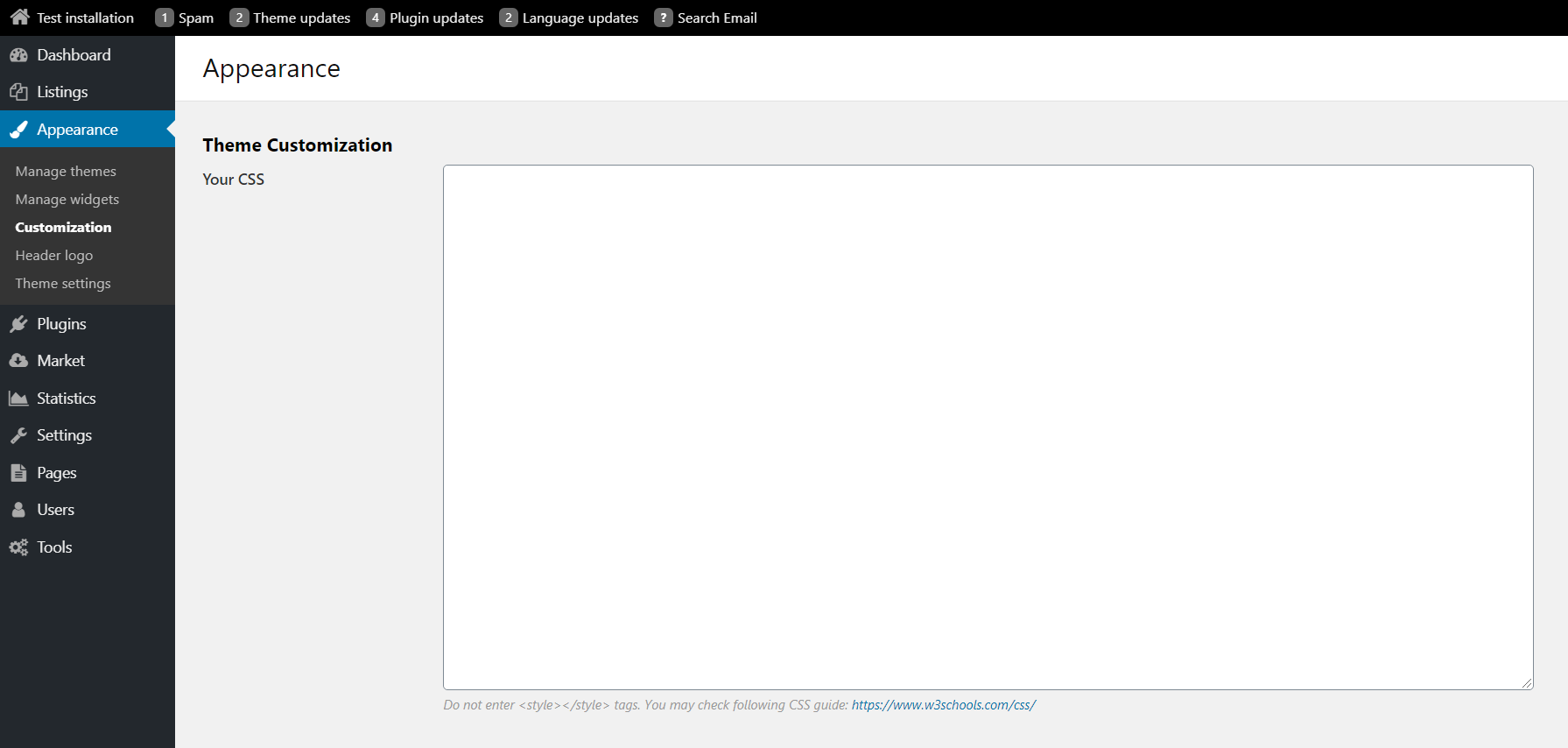
Most usual problem in osclass was how to keep custom modifications separated from update, as if you modify something in theme, osclass or plugin, it will be removed after update. For theme complex theme modifications, there is option to use child themes in osclass, but for not so skilled people those just want to change colors, fonts or basic styling, there is now opportunity to add your own CSS code in backoffice that will not be affected by update.
You may find this field in Oc-admin > Appearance > Customization
You may now find phone number of users in user table list. In case you would like to be checking user data in more convenient way, this is right functionality for you.

To see full list of updates and changes, make sure to take a look on osclass changelog where you may find changes also from previous version.
Previous: Osclass 4.2. Next: Osclass 4.4.
Question: Will Osclass 4.3 run on PHP 8.0?
Answer: Osclass 4.3 is the PHP 8.0 compatibility release for core. Update themes and plugins as well, because notices after the PHP switch usually come from old product code. Hosting can move to PHP 8.0 after this core. Test publish, search, and oc-admin on staging before you change production PHP.
Question: Why do I see a plugin notice after moving Osclass 4.3 to PHP 8?
Answer: PHP 8.0 is stricter about types and removed functions. Osclass 4.3 updates core, but a plugin that was not updated will still print notices. Update every OsclassPoint theme and plugin first. Premium products go to a ticket. Free products go to the forums. Read Tools, Debug/Error log if the page is blank.
Question: Where is Appearance Customization CSS in Osclass 4.3 versus a child theme?
Answer: Oc-admin, Appearance, Customization stores CSS that survives core and theme updates. A child theme is still the place for PHP file overrides. Use Customization for colors and fonts. Use a child theme if you edit main.php. Both can exist together. Putting PHP only in Customization will not run.
Question: Where is the user phone number column in Osclass 4.3 oc-admin?
Answer: Open Users in oc-admin to see the Osclass 4.3 phone number column. It is a list column, not a new registration plugin. The theme still has to print phone on the front-office item page. Front-office phone display still depends on the theme markup. Check a user row after upgrade.
Question: Does upgrading to Osclass 4.3 affect existing listings and themes?
Answer: Upgrading to Osclass 4.3 keeps existing listings. PHP 8.0, Appearance Customization CSS, and the Users phone column are the changes most sites notice. Themes that already print item fields keep working. Test search, publish, and oc-admin after the package. Update plugins before you switch hosting to PHP 8.0.
Question: Should I still use a child theme in Osclass 4.3 if I only change colors?
Answer: Use Appearance, Customization for colors and fonts; that CSS survives updates. Keep a child theme if you change PHP templates such as main.php. Osclass 4.3 Customization does not replace child themes. Putting PHP edits only in Appearance Customization will not work. Copy overrides into the child folder.