

Enable avatars in Osclass with consistent image quality, crop settings, and user-friendly profile flow.
User feature to upload custom avatar was missing in osclass for decades, there has been bunch of free plugins, but all of them has solved this gap just partially. Usual problem of plugins was no image optimization, lack of functionalities, hard integration into theme. Nowadays solid classified website cannot work without complex solution for users to upload their profile picture or logo.
By default, avatars are disabled for users. You can simply enable it in Oc-admin > Settings > User settings:

There click on "Enable users to upload their profile picture" and then save button.
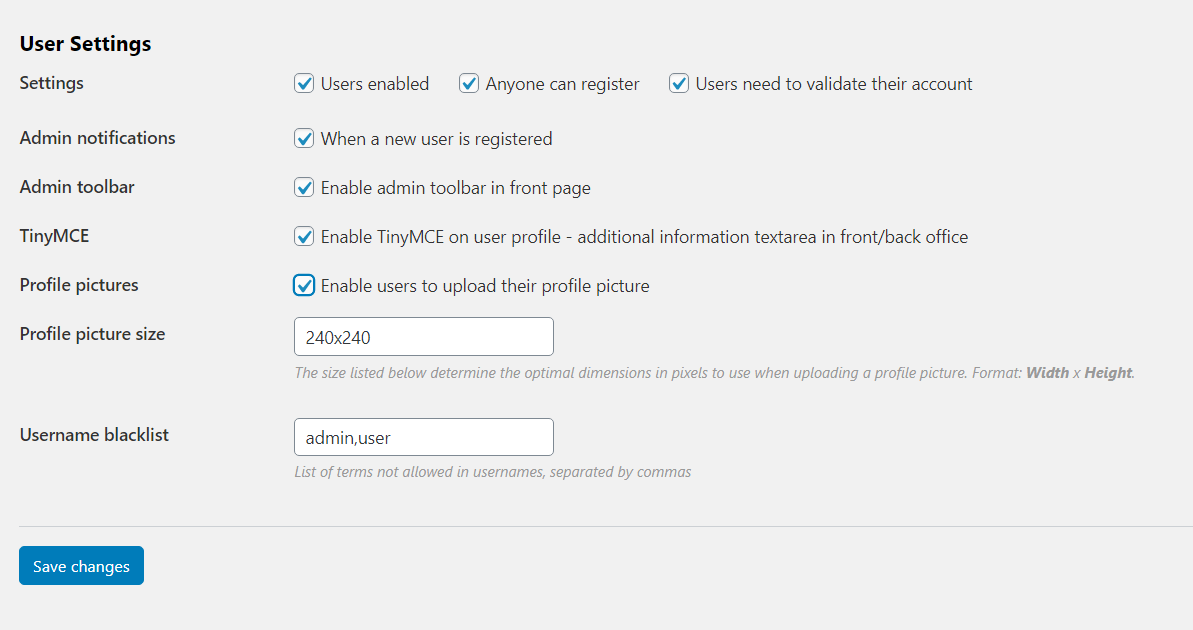
Users now can upload profile pictures in their account. For integration into your theme please use Sigma theme (user-profile.php) as reference, all functions are included in osclass core, it is just about correct placement of them into theme.
Go to your classifieds website and login as user. Go to User account > Account (My profile) section
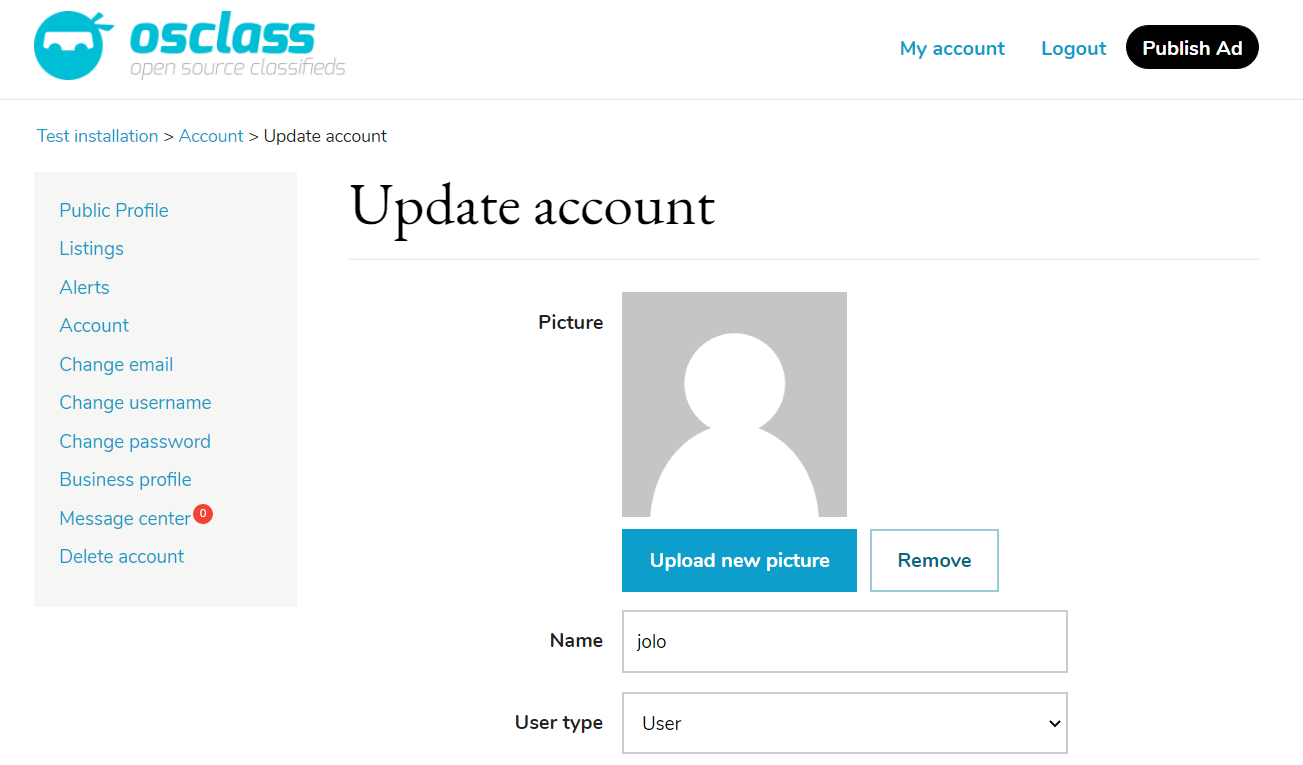
You should now see new section for profile pictures upload. Let's upload new avatar. Click on "Upload new picture" button. You will be prompted first to select image from your computer.
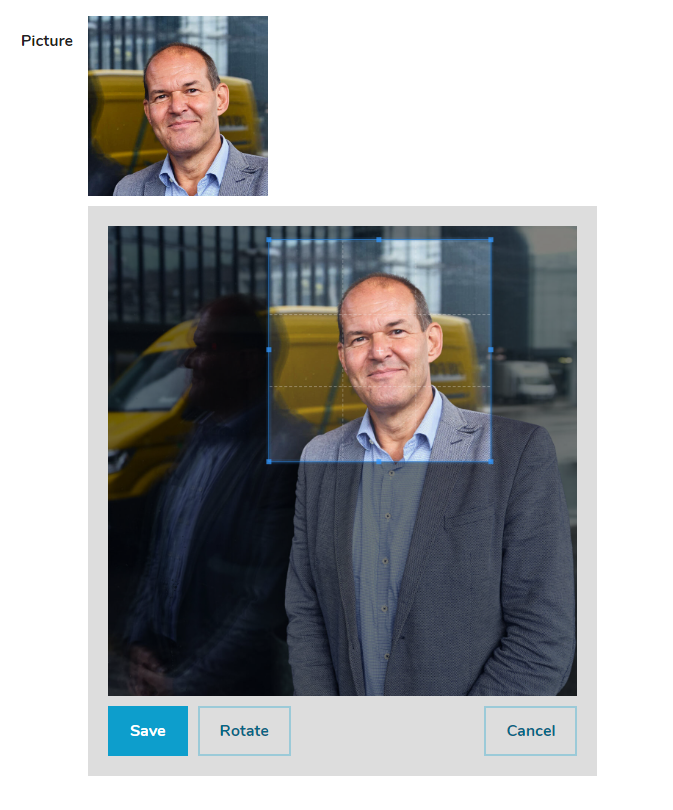
In new expanded area you can crop your image simply by moving one of corners up and down. Dimension (aspect) of selector can be set in Oc-admin > Users > User settings, field "Profile picture size". Recommended size is 240x240, but depending on your theme and needs it can be changed to whatever value (240x200, 128x128, ...).
Crop window can be simply moved by holding mouse in middle of this box. Preview (expected) output is shown above this box.
You can also rotate image if required or cancel avatar upload process. In that case original image is not changed.
It is also possible to zoom picture simply by scrolling up or down with your mouse.
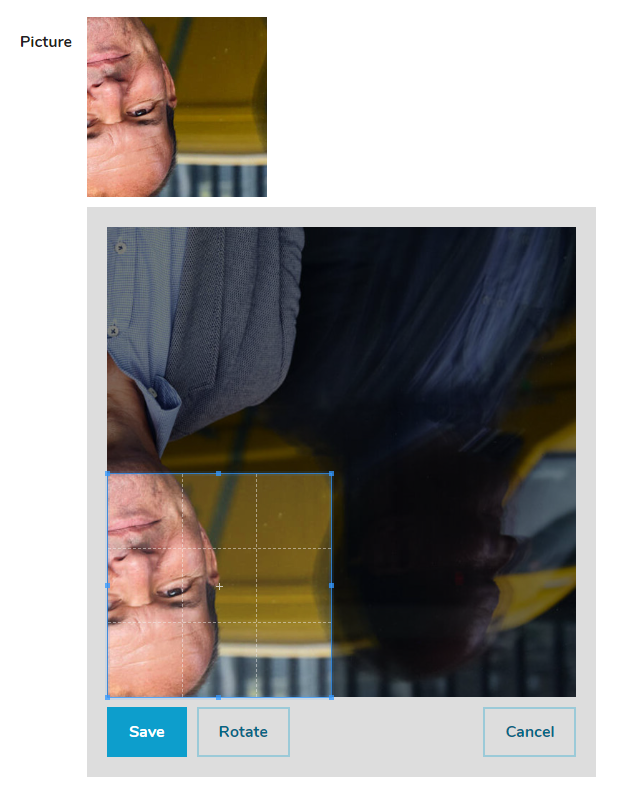
Once you are OK with results, click on "Save" button to save newly created profile picture for user.

User's profile picture is used by default on different places, like user's card on published listing or when placing comment on existing listing. Theme authors may use it on numerous other places, like header bar, listing card etc.
Question: Where do I enable Osclass profile picture upload in User settings?
Answer: Check Enable users to upload their profile picture in oc-admin, Settings, User settings, then save. Avatars stay off until that checkbox is saved. Users then see the uploader in User account, Account. Sigma user-profile.php is the reference markup for the uploader. Test with a logged-in seller.
Question: How do I set Osclass profile picture crop size in User settings?
Answer: Set Profile picture size in oc-admin, Users, User settings to the dimensions your theme expects. Sigma uses a square avatar layout; 240 by 240 pixels is an example configuration. The crop box on the account page uses that aspect. Other square sizes work if the theme CSS matches.
Question: Can Osclass users rotate a profile picture before save?
Answer: Rotate, zoom with the mouse wheel, and drag the crop box after Upload new picture on the account page. Cancel leaves the previous file. Save writes the cropped square; the first upload click does not. Those controls appear after Upload new picture. Enable profile pictures in User settings first.
Question: Where is the Osclass avatar uploader in the user account?
Answer: The avatar uploader is on User account, Account, My profile after you enable profile pictures. Logged-in users click Upload new picture, crop, then Save. The same image is used on the listing seller card and on comments when the theme prints the core avatar helpers.
Question: Why does a custom Osclass theme show no avatar after profile pictures are enabled?
Answer: Copy avatar helpers from Sigma user-profile.php. Core Osclass stores the file, but a custom theme that never calls those functions leaves the listing card blank even though upload works in the account. Enable the User settings checkbox, then check both the account page and a listing card.
Question: What profile picture size should Sigma theme use in Osclass?
Answer: Use a square size in Users, User settings that matches Sigma avatar holes; 240 by 240 pixels is an example. That square is what Sigma expects on listing cards and comments. A wide crop will look letterboxed in a round avatar hole. Regenerate is not required for a new upload.