

Complete Facebook authentication setup for Osclass, including required app configuration and validation checks.
It's so easy to setup facebook authenitfication on your site, let's start!
1) Create new app for login on your website, choose WEB application and enter required information there:
https://developers.facebook.com/quickstarts/?platform=web
2) Install Facebook Login Plugin, setup all the keys:
https://osclasspoint.com/osclass-plugins/login-social/facebook-login-osclass-plugin-i74
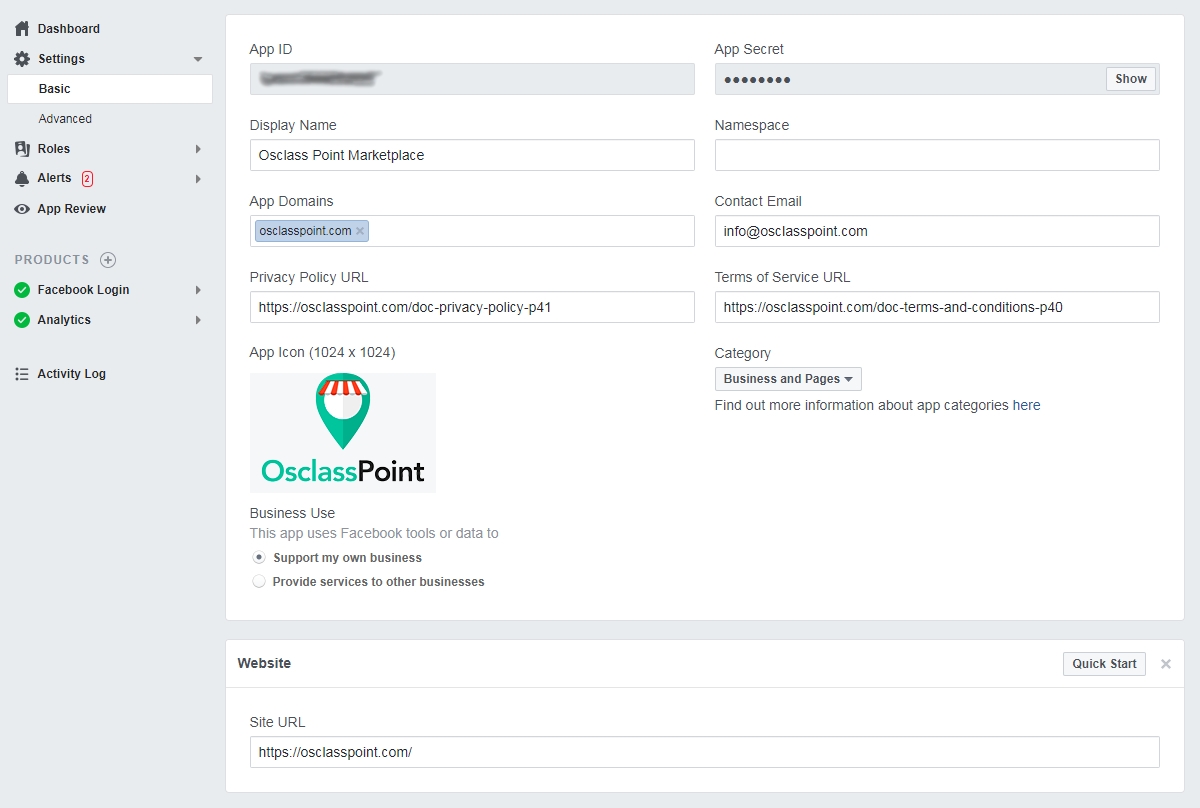
3) In Settings > Basic, fill out all the fields. You can get there your App ID and Secret key for facebook login plugin.
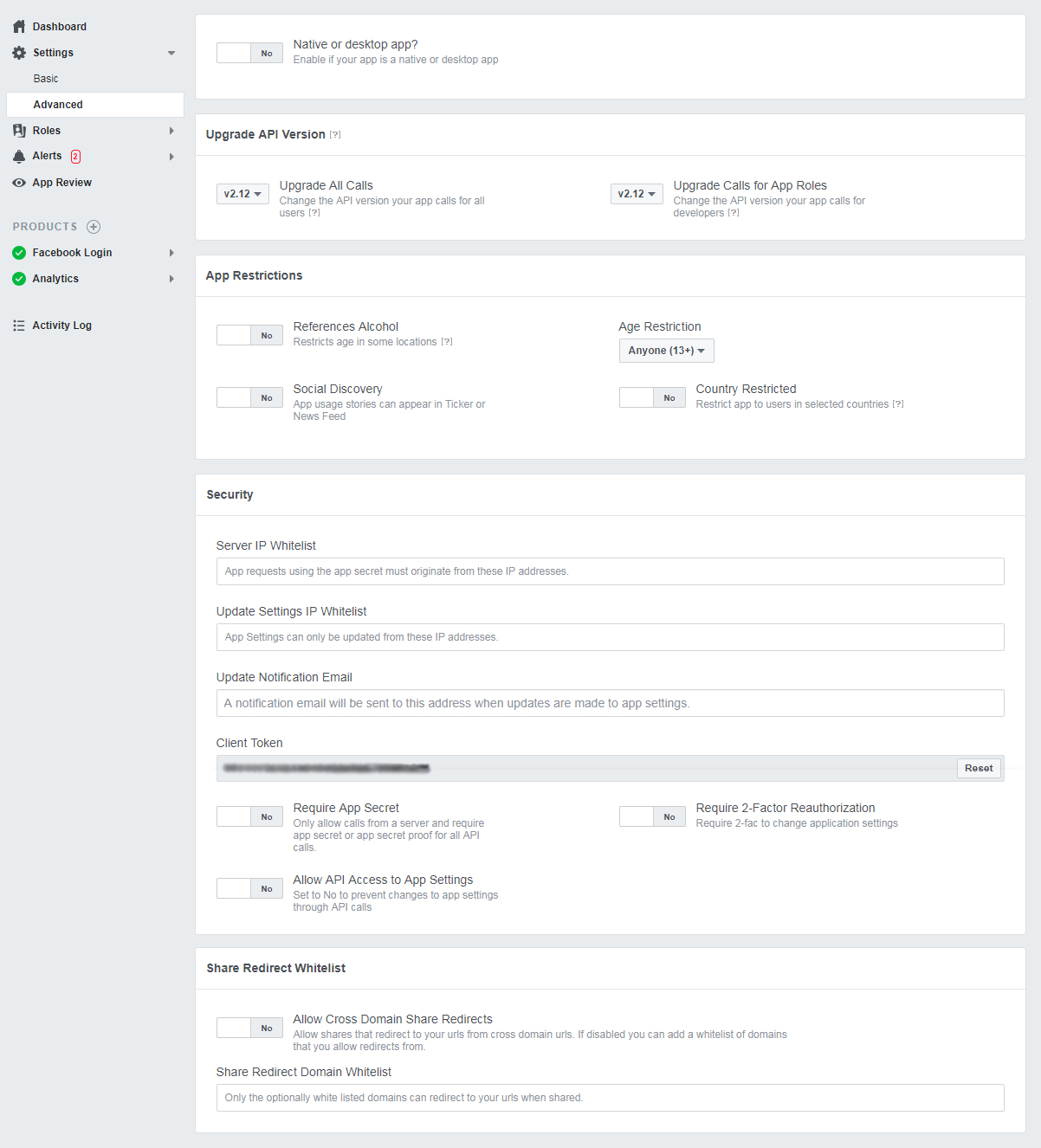
4) In Settings > Advanced, select API version to v2.12, set Native or Desktop app to "No" and in Security box select all to "No"
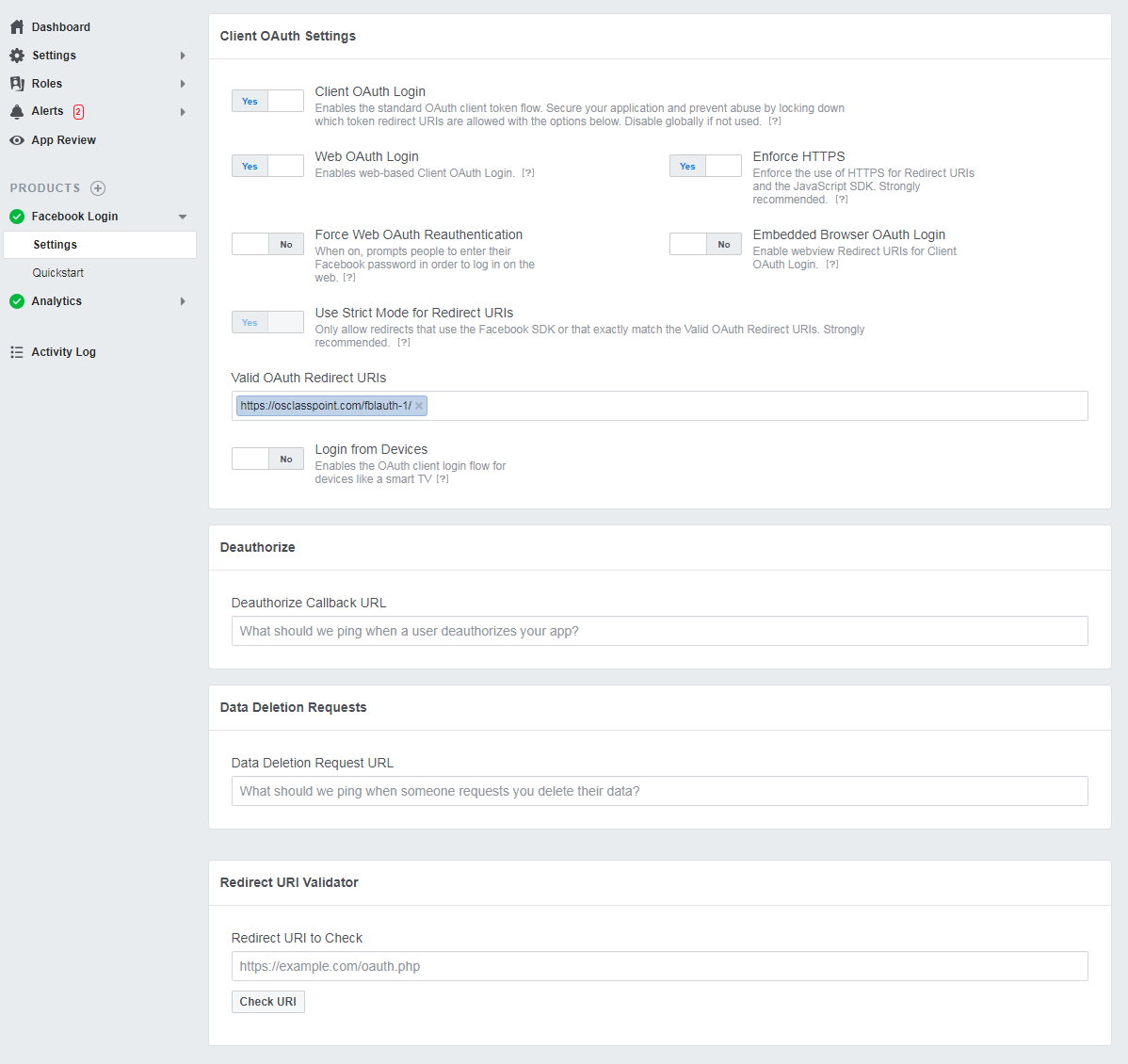
5) Go to Products > Facebook Login > Settings and set following:
Hope you got it working now.
Note: If you get error message after facebook login: "Incorrect data returned from facebook: {}", it means you have limitations/restrictions in access level for email. Check this facebook docs for more details:
https://developers.facebook.com/docs/graph-api/overview/access-levels/
For choosing between providers, see our social login comparison.
Question: What Valid OAuth Redirect URI does OsclassPoint Facebook Login plugin need?
Answer: Paste https://yoursite.com/fblauth-1/ with a trailing slash into Facebook Login Valid OAuth Redirect URIs. OsclassPoint Facebook Login needs Friendly URLs on and HTTPS. Facebook rejects a URI without the slash even if the app looks saved. Match www if the live site uses it.
Question: Why does Osclass Facebook Login fail without SSL?
Answer: OsclassPoint Facebook Login needs a working HTTPS certificate because the OAuth redirect to /fblauth-1/ must be HTTPS. Without SSL the Facebook app rejects the return URL. A self-signed certificate can still fail. Confirm the live site loads on https before you test the login button.
Question: Does Osclass Facebook Login plugin require Friendly URLs?
Answer: Enable Friendly URLs in oc-admin before you save the Facebook app. Facebook Login plugin uses /fblauth-1/ as the OAuth redirect. If Friendly URLs are off, Facebook shows a redirect URI mismatch instead of a working login. Save permalinks, then paste the URI with the trailing slash.
Question: How do I fix Incorrect data returned from facebook: {} in OsclassPoint Facebook Login?
Answer: An empty {} payload means Facebook Login plugin did not receive usable profile data. Check the redirect URI, App ID, App Secret, HTTPS, and that the Facebook app includes the website login product. Then review requested permissions and any plugin debug output. Missing email is only one possible cause.
Question: Should Native or Desktop app be Yes for Osclass Facebook Login plugin?
Answer: Set Native or Desktop app to No when the Facebook app is a website OAuth flow for Osclass Facebook Login. Leave website OAuth login enabled. Native or Desktop is for installed apps, not this plugin. Save Facebook settings, then test /fblauth-1/ on HTTPS with Friendly URLs on.
Question: Where do I paste Facebook App ID and App Secret in OsclassPoint Facebook Login plugin?
Answer: Paste App ID and App Secret into Facebook Login plugin, Settings, Basic. Create the web app at developers.facebook.com first. App ID alone cannot finish the token exchange. After save, test login and confirm the redirect URI still matches /fblauth-1/ on the live host.