

If you have run an Osclass site for more than a few years, you know the old Mark as links. Spam. Duplicate. Offensive. Wrong category. Expired. One click, and the listing was flagged.
That feature landed around Osclass 2.4 or 3.0. We will not pretend we remember the exact point release. It was about 15 years ago. In 2008 or 2010 a public link was a fair report button. A visitor saw a bad ad, clicked, and you got a counter in admin.
That model does not hold up on a live classifieds site today.
Crawlers treat a report link like any other URL
The old report was a GET link. No form. No login. You could put nofollow on it. You could tell robots.txt to skip it. Search crawlers and other bots still walk listing pages and follow the URLs they find.
Each hit looked like a person had marked the listing. You opened admin and saw spam, duplicate, or offensive flags on ads that were fine. The queue was noise. The numbers stopped meaning anything.
Real people had no place to explain
Even a genuine report was thin. You got a type and nothing else. Spam. Offensive. No "this phone number is on 12 other ads" and no "these photos belong to another shop." You still had to open the listing and guess.
If the listing was borderline, you had no thread with the seller. No place to ask what happened. No place for them to disagree on the record.
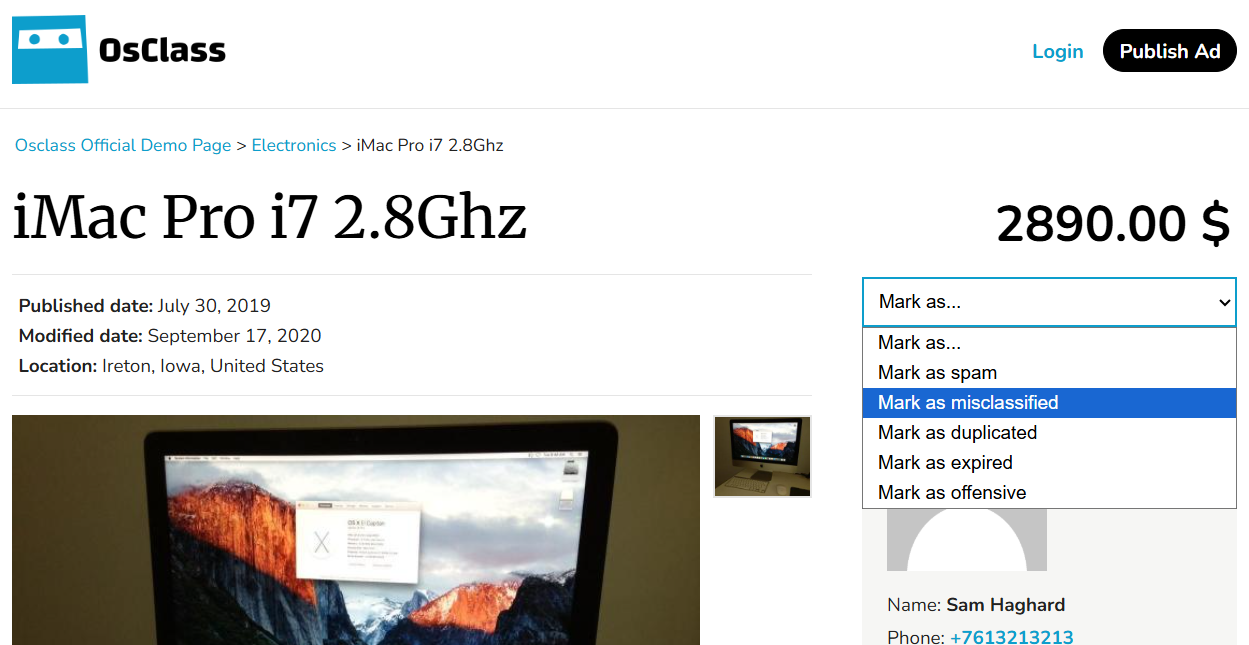
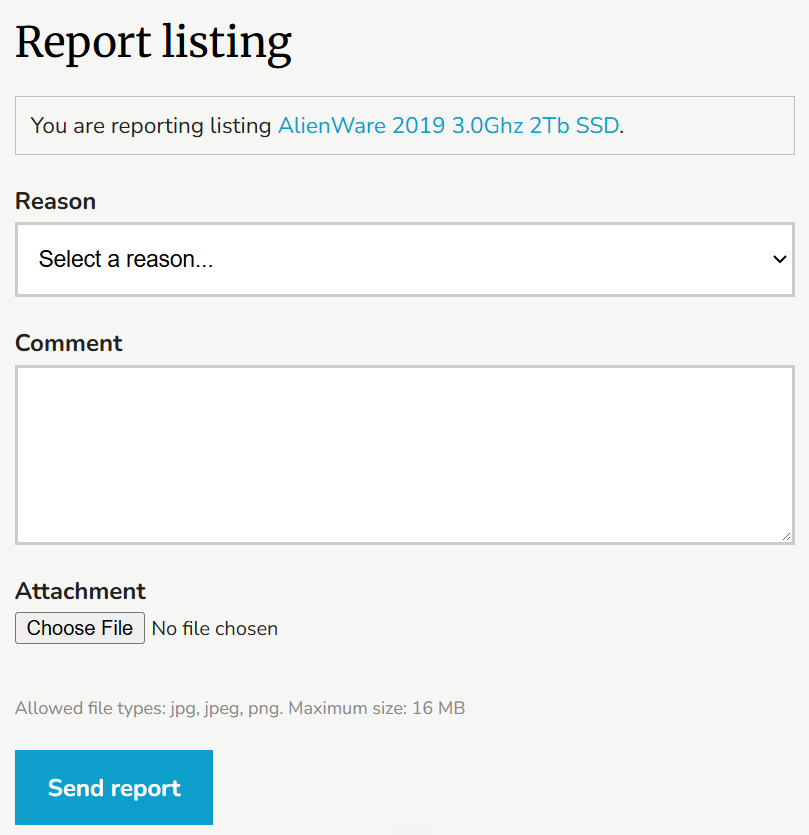
Reports replace Mark as. A logged-in visitor opens a form, picks a reason, writes what they saw, and can attach a file. That ticket lands in a new Reports section in oc-admin. You can ask the seller for their side on the same record.
Old theme links still work. A Mark as spam URL now opens the report form with Spam already selected. You do not have to rewrite every theme the day you upgrade.
From a listing they report the listing. From a public profile they report the user. Guests see the link; submitting it requires login. You cannot report your own listing or your own profile.
The form asks for three things:
Listing reasons include spam, duplicate listing, fraud or scam, wrong category, prohibited item, misleading information, already sold, abusive or offensive, copyright, legal issue, and other. User reports use the subset that fits a profile (spam, fraud, abusive, impersonation, and similar). You choose which reasons stay enabled.
After submit, the reporter does not get a public ticket page. They can get an email that you received the report, and another when you close it. That is on purpose: the person who filed it is not sitting in a chat with the seller.
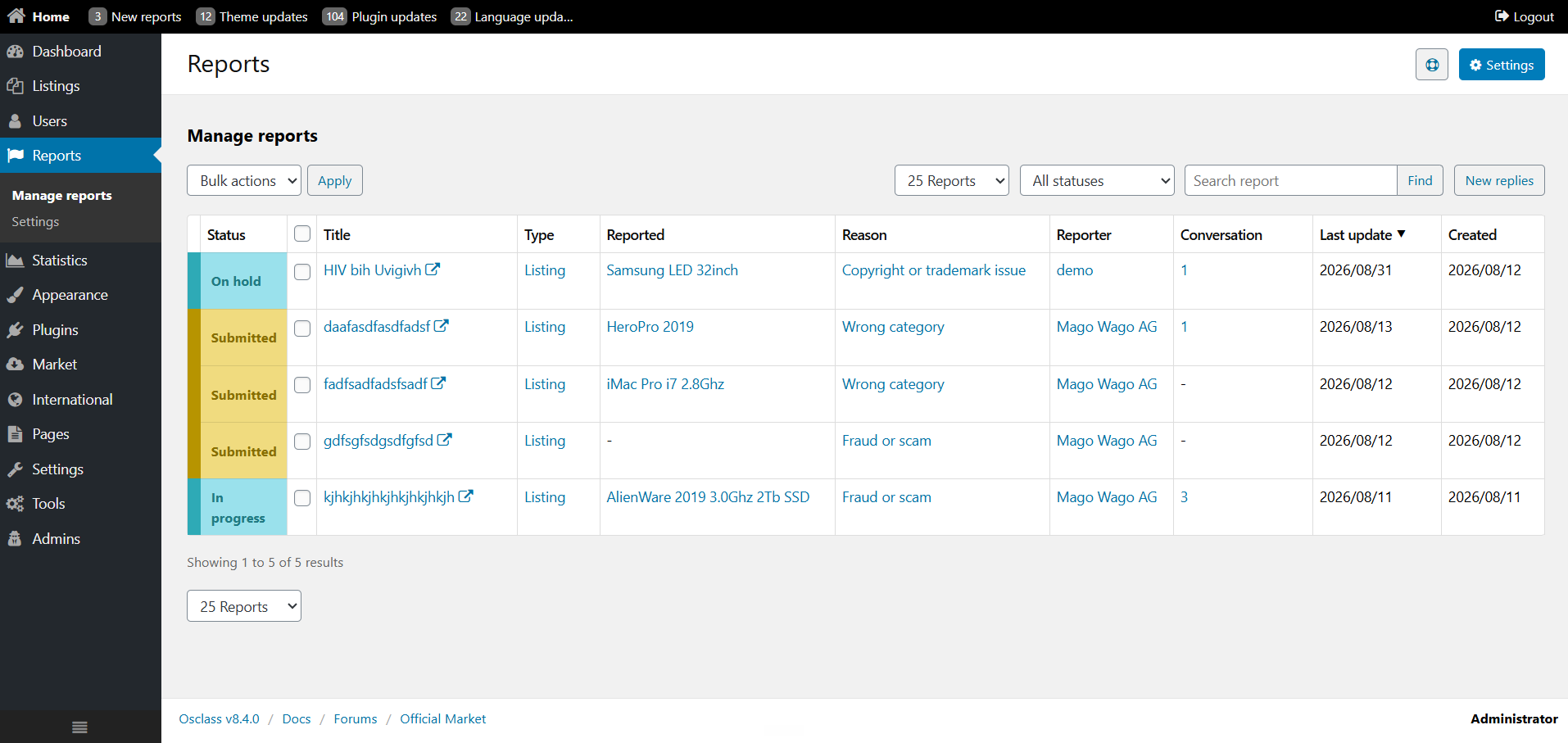
There is a dedicated Reports area:
Statuses you will actually use:
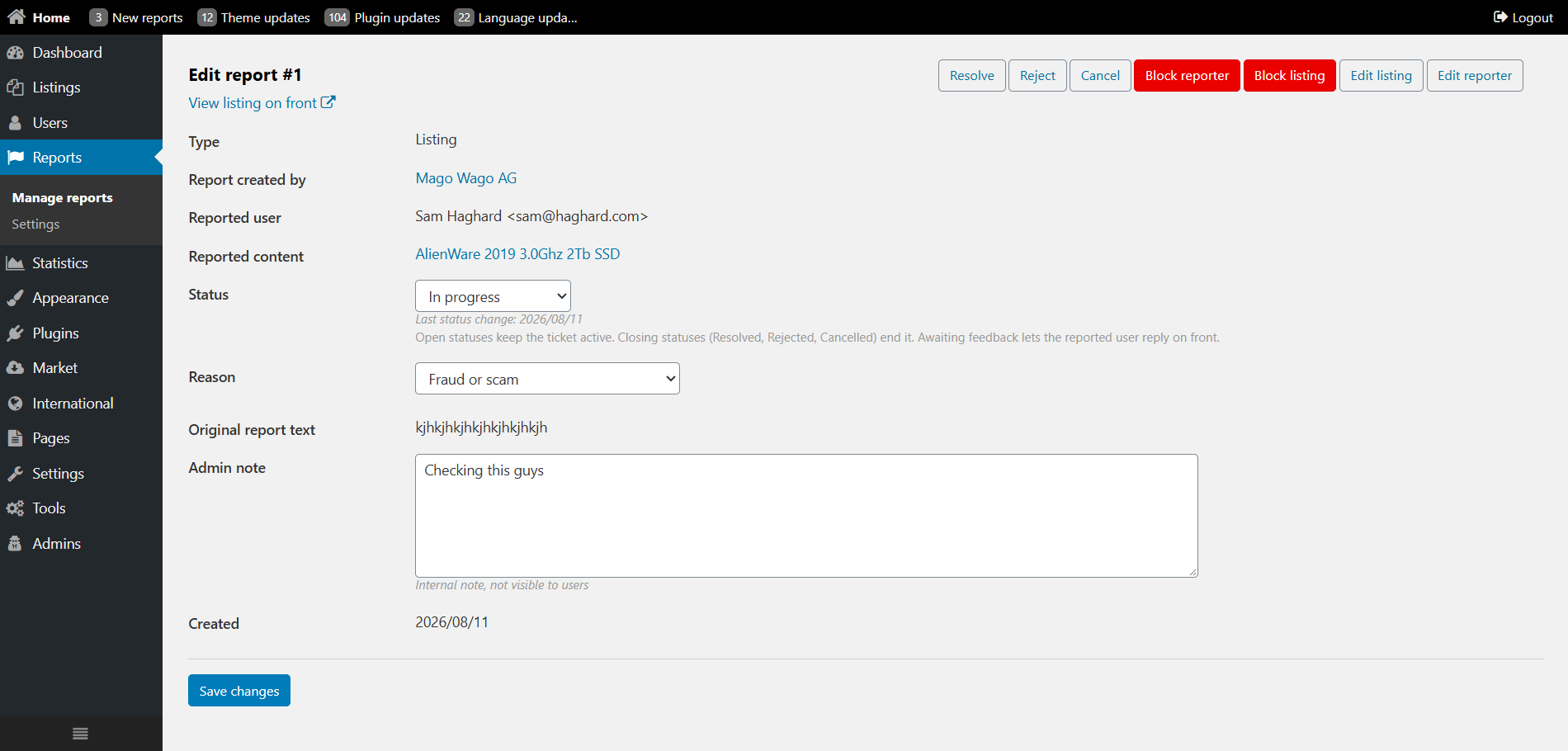
This is the gap the old feature never filled.
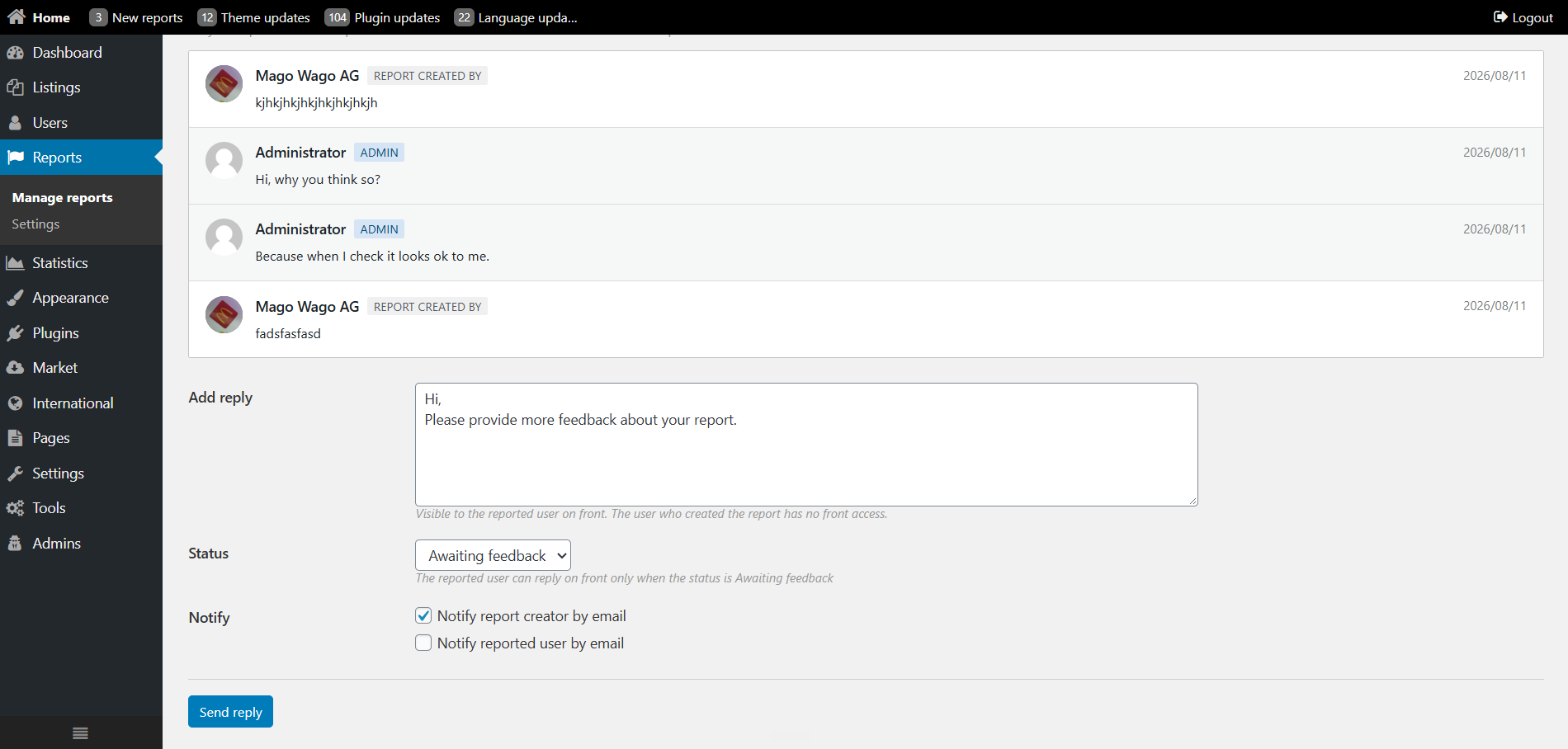
Someone reports a listing. You read the reason and the comment. If it is obvious spam, you act on the listing and close the report. If it is not obvious, you set status to Awaiting feedback and write what you need from the seller: explain the photos, confirm the price, say whether the item is still for sale.
The seller gets an email and can open the front report page (friendly URL like report/view/{id}). They add their comment on that report. Status moves back to In progress. You can ask again. You close it when you have enough.
A few rules that keep this usable:
Each notice is a checkbox in Reports settings. Leave on what you will actually read.
Templates are email_report_admin and email_report_user. Edit the wording under Settings > Emails. Placeholders cover the event, report id, type, reason, status, comment and links.
Settings to check after you upgrade
Path: oc-admin > Reports > Settings
Turn these on first if you moderate by hand:
Then decide, based on volume:
Optional, and off by default: store website contact form messages as Contact form reports (type webcontact, no listing or user attached). That switch lives in General settings, not Reports. Skip it unless you want contact mail in the same queue.
|
|
Mark as (legacy) |
Reports (Osclass 8.4) |
|
How it fires |
GET link, one click |
Logged-in form, POST |
|
What you receive |
A type flag on the listing |
Reason, required details, optional file |
|
Who can be reported |
Listing only |
Listing or user |
|
Conversation |
None |
Admin and seller on the same ticket |
|
Emails |
None built in |
Admin, reporter, seller (per setting) |
|
Crawlers |
Each hit counted as a report |
Following the URL does not submit the form |
|
Where you work |
Listing stats / reported items |
Reports queue, filters, statuses |
Leave them for now if you want. osc_item_mark_url, osc_item_mark_disable and ItemActions::mark() still exist so older themes do not break. Those URLs open the report form and preselect the matching reason:
When you next edit the theme, switch to osc_report_item_url() and osc_report_user_url(). Hide the control with osc_can_report_item() / osc_can_report_user() so owners do not see a report button on their own ads. Guests still see the link; login happens when they try to submit.
See also the redesigned statistics dashboard and the Osclass 8.4 overview.
Question: Why did Mark as spam flags appear on good Osclass ads before Osclass 8.4 Reports?
Answer: Old Mark as used GET links with no login, so crawlers hitting those URLs counted as flags. Osclass 8.4 Reports replaces that with a POST form. A logged-in visitor picks a reason, writes details, and can attach a file. Guests can see the link but cannot submit. Test the form on a listing after you upgrade.
Question: What must a visitor fill on the Osclass 8.4 Reports form?
Answer: Osclass 8.4 Reports requires a reason and a details comment. An optional file can go to oc-content/uploads/report/ if you enabled attachments. The first reason option is empty so nobody submits the default. Listing and user reports use different reason lists. Save Reports settings, then open a listing as a logged-in user.
Question: Can guests submit an Osclass 8.4 listing report without login?
Answer: Guests see the report link but Osclass 8.4 requires login to submit. You cannot report your own listing or profile. After submit, reporter, reported user, and admin can be part of the report workflow. Emails on receive and close are optional. Log in on staging and send a test report to confirm the flow.
Question: How do I ask the reported user about an Osclass 8.4 report?
Answer: In Osclass 8.4, set the report to Awaiting feedback when you want the reported user to reply. That user can answer from the report page, then status returns to In progress. The reporter is not hidden from that workflow. Statuses include Submitted, In progress, On hold, Awaiting feedback, Resolved, Rejected, and Cancelled.
Question: What happens to old Mark as links after Osclass 8.4 with osc_item_mark_url?
Answer: Keep osc_item_mark_url in the theme after Osclass 8.4; it opens the Reports form with that reason already selected, for example Spam. You do not have to rewrite every theme the day you upgrade. New themes should call osc_report_item_url() for a report button. Reports replaces the legacy Mark as GET flow.
Question: How do I hide report links on my own Osclass listing with osc_can_report_item?
Answer: Use osc_can_report_item() in the theme to hide the control on the viewer own ads. Osclass 8.4 already blocks submitting a report on your own listing. The helper keeps the button from showing. Reports settings in oc-admin control reasons, attachments, and retention. Check an item you own after the theme change.