



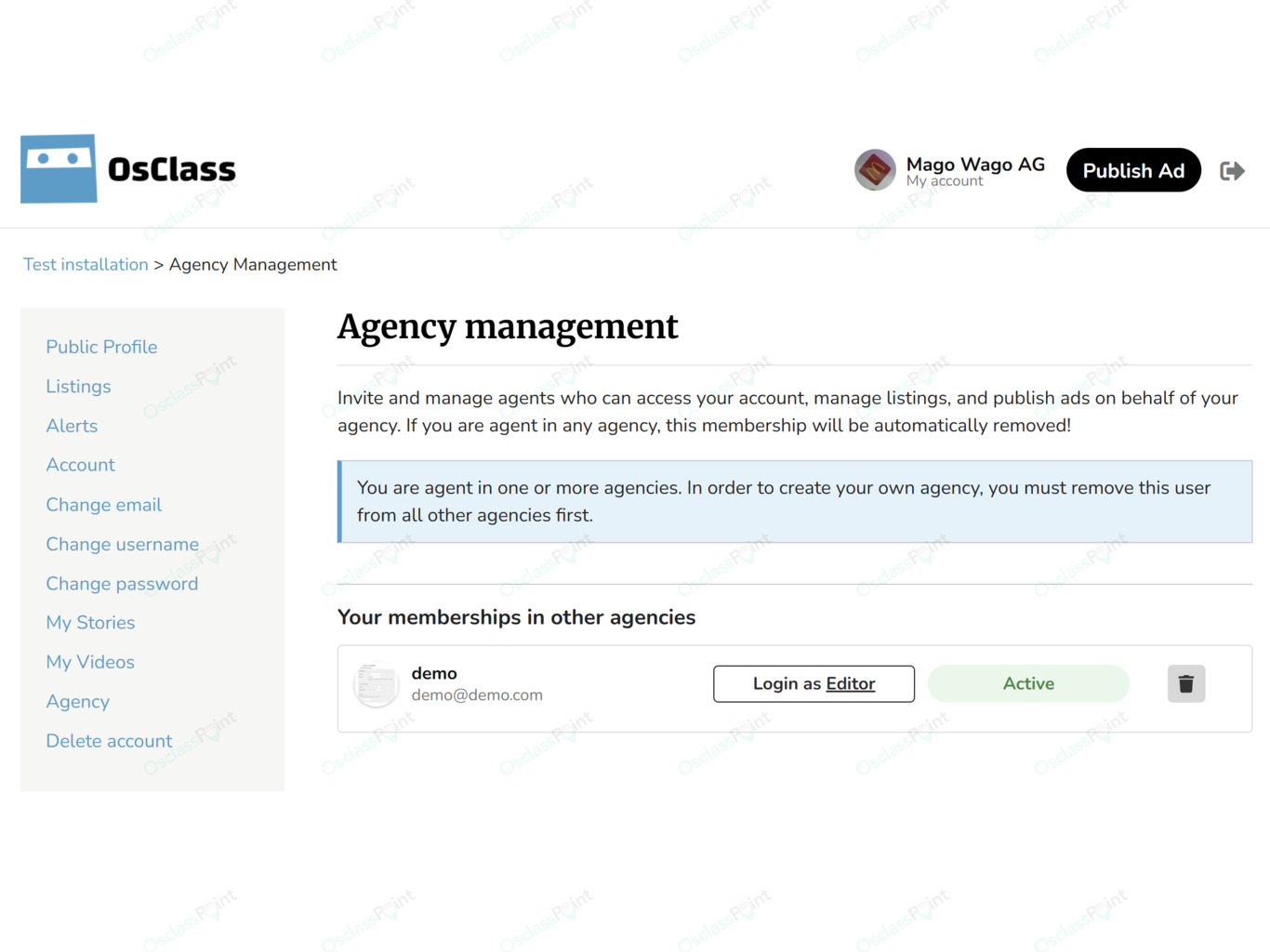
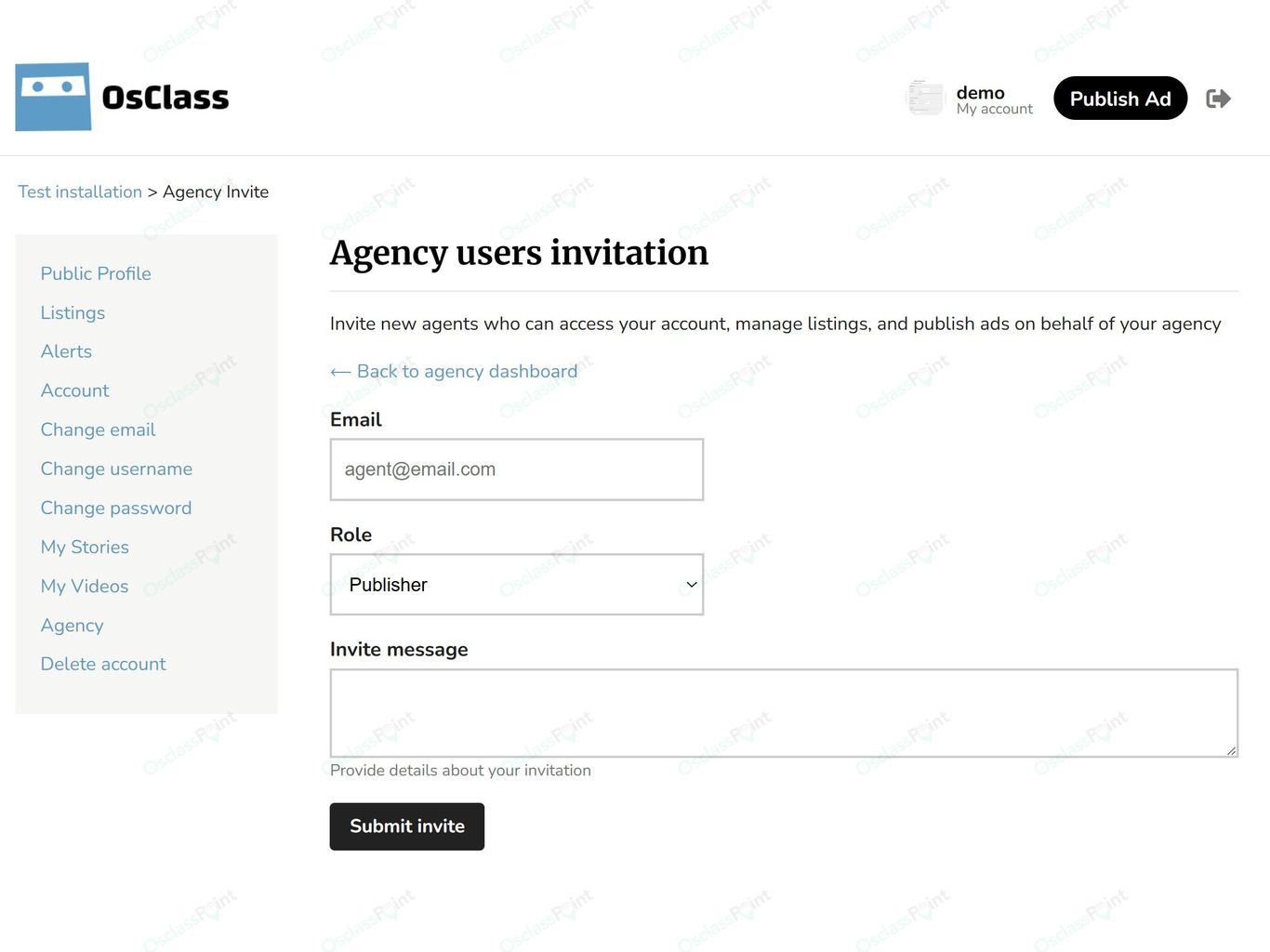


Manage professional agent teams on your classifieds website with the Agency Management Plugin for Osclass. This plugin allows users to create and run agencies, invite agents, and assign roles for better business collaboration. It is ideal for real estate portals, service providers, job marketplaces, or any classifieds site where teams work together under one business profile.
With this plugin, a single agency owner can manage multiple users as part of one agency team. Agents can log into their own accounts and then switch to work under the agency profile with the correct permissions based on their role. This improves teamwork, security, and workflow for business accounts.
The plugin supports agent invitations by email, agency approval by admin, and a public team gallery for agency profiles. It also fully integrates with the Business Profile plugin, helping build trustworthy and professional business listings.
Key Features
Agency creation Site users can create their own agency profile. Once created, the agency owner becomes the administrator of the agency and can start inviting agents to join.
Multiple agent roles The plugin supports multiple agent roles to match real business operations. Roles include publisher, editor, manager, and administrator. Each role has different levels of access inside the agency. This structure allows agency owners to safely delegate work while keeping control over key actions.
Agents can belong to multiple agencies A single user can be part of several agencies if the business model requires it. This allows flexibility for professionals who cooperate with more than one organization, such as freelance recruiters or sales agents.
Agencies cannot be agents Agencies and agents are strictly separated. An agency cannot act as an agent and an agent cannot create an agency. This guarantees clear and fail-safe organization logic.
Secure agent access switching Agents always log in to their personal user account first. After logging in, they can access their agency dashboard and choose which agency to work under if they belong to more than one. This ensures full transparency and accountability for all actions.
Invitation-based joining Agencies can invite agents by entering their email address. The user receives an invitation with a unique code. If the invited agent is not registered yet, they can complete registration and the invitation will still work without any problem. This allows seamless onboarding of both existing and new platform users.
Admin approval for agencies Admins can be required to approve newly created agencies before they become active. This option helps control business profile quality on the website and prevents fake agency accounts.
Agent limit per agency Admin can define the maximum number of agents each agency is allowed to have. This keeps system usage fair and prevents abuse.
Team gallery support The plugin supports displaying a team gallery on public agency pages. Visitors can view the list of agents who belong to the agency. Gallery hooks are provided so the gallery can be displayed in different theme locations.
Business profile integration The plugin is fully compatible with the Business Profile plugin. This combination allows users to build professional business listings with visible team members, increasing trust and transparency.
Smooth user experience The entire workflow is built for clarity and simplicity. Users can create an agency, invite agents, manage roles, and access agency functions from a clean admin panel. The interface is intuitive and requires no technical skills.
Administrator Settings
Admin validation of agencies When enabled, each new agency must be approved by the site administrator before it becomes active on the website. This keeps agency listings clean and helps maintain a professional marketplace.
Maximum agents per agency Admin can enter the maximum number of users allowed in one agency. For example, if set to 10, no agency can have more than ten agents. This value can be adjusted to match the business model of the portal.
Gallery hooks Admin can set where the agent gallery will display by entering theme hooks. Default hooks are user_public_profile_items_top and bpr_seller_profile_bottom. These hooks let the gallery be visible on relevant profile pages without theme modifications.
Why Use This Plugin
Professional team management Turn your classifieds website into a business-ready platform where real companies can manage teams, assign roles, and operate with authority.
Improved trust and credibility Showing a team behind a business increases user confidence, especially in real estate, automotive, recruitment, and services sectors.
Flexible team structure Allow one user to participate in multiple agencies while keeping role permissions secure and clear.
Streamlined workflows Agents do not need shared login details or manual workarounds. Each agent uses their own account and simply switches into agency mode when needed.
Better platform control Admin can approve agencies, limit agent count, and maintain high-quality standards for business accounts.
Backlink in footer
This plugin is free to use, but it contains a backlink that will appear in the footer of your site. The link helps support further development of free products. If you want to remove the backlink, you must purchase the Link Remover Service. Removing the backlink without a valid license violates the product license. We offer the removal service for users who prefer a clean footer, while non-profit users can keep the backlink to support growth of free tools.
Note: This product is free of charge. Code modification, duplication, or redistribution without the author’s consent is not allowed.
 Ukrainian (UA)
 Azerbaijani

 English
 Czech
Czech Slovak






Product rating: 5.0 - Excellent, based on 1 review
Great plugin by Nicolae Stan on 7. Dec 2025
MB Themes response: